

Maricopa Unified School District is advertising a major change for bus families: ZPass cards for all riders, paired with a parent app that can show when a student boards or exits and where a bus is along its route.
There is one distinction families should understand before assuming the full system is live on every bus.
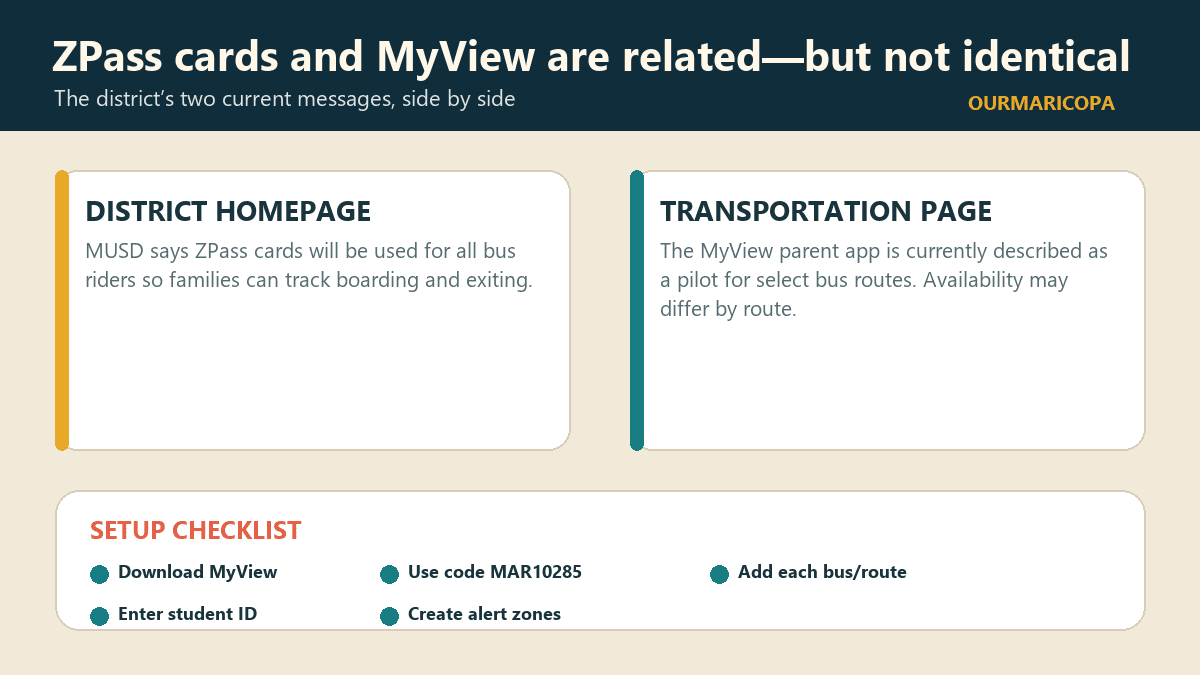
MUSD’s district homepage says ZPass cards will be used for all bus riders and directs parents to download the Zonar MyView app. The district’s more detailed Transportation page says it is currently piloting the MyView parent app for select bus routes.
Those statements can both be true. A card rollout can be broader than the app’s current route coverage, and a system can be moving toward district-wide use while individual routes come online in stages. But the district has not posted a route-by-route pilot list on the reviewed page, so families should confirm that their route is active before treating the app as a replacement for existing transportation information.
What the app is designed to show
MUSD says MyView can provide:
a real-time, map-based bus locator;
estimated arrival times;
information about when a child gets on and off the bus; and
custom alert zones around pickup and drop-off locations.
The district says an alert can be sent by email when a bus enters a zone. A location alert is a convenience tool, not a guarantee that traffic, a substitute bus, a device issue or a last-minute operational change cannot affect the trip.
The five setup steps MUSD publishes
The district’s Transportation page gives this sequence:
Download Zonar MyView from the Apple App Store or Google Play.
Enter MUSD’s school access code: MAR10285.
Search for the bus or route number the student uses. Add every bus the student rides during the week.
Enter the child’s unique student ID.
Create alert zones around pickup and drop-off points.
MUSD also directs families to Tyler’s Versatrans e-Link to determine a school of residence and bus route, using the guest credentials published on the Transportation page. That existing route lookup and the MyView tracking app serve different jobs: one identifies the assigned route; the other follows an enabled bus and card activity.
Cards matter even without the parent app
The ZPass card is the rider credential that can record a boarding or exit event. The parent app is the family-facing window into the available data. If a route is not part of the current app pilot, that does not necessarily mean the card has no operational purpose—and it does not prove the family’s app was configured incorrectly.
MUSD separately states that all middle- and high-school students must have a valid school ID to ride the bus. Families should follow the school’s instructions on which card or ID the student is expected to carry rather than assuming a phone screen substitutes for a physical credential.
What families should verify
Before relying on a notification, check four things:
the student’s route and bus number are current;
every regularly used bus has been added in MyView;
the student ID was entered correctly; and
the route is included in the present pilot.
MUSD says parent information in the app is password-protected. Families should still protect student IDs, access credentials and screenshots that reveal a child’s routine or stop location.
The Transportation Department lists 520-568-6120 and weekday office hours of 7 a.m. to 4:30 p.m. for questions. The page also asks families using specialized transportation to call when service is not needed for the day.
This is a meaningful service change for a district serving a growing city. OurMaricopa has recently covered MUSD’s 2028 student-capacity pipeline and volunteer approval process; the bus-card rollout is another example of a system trying to scale with more students, schools and daily trips.
The practical bottom line is simple: download the app if your family uses an MUSD bus, complete the setup, and then verify whether your particular route is active in the select-route pilot. “Coming for all riders” is the direction. “Available on every route today” is not what the detailed page currently says.
Sources
Maricopa Unified School District — District Home, “Introducing Zonar!” https://www.musd20.org/. No publication date shown; accessed Oct. 28, 2026. Source for the district-wide ZPass announcement and instruction to download MyView.
Maricopa Unified School District — Transportation. https://www.musd20.org/departments/transportation. No publication date shown; accessed Oct. 28, 2026. Source for select-route pilot status, app features, setup steps, route lookup, ID requirement, security statement and Transportation contact.